
How to Build a Budget Smart Home Setup on a Tight Budget
Many people assume that turning a house into a smart home requires thousands of dollars, complex wall rewiring, and professional installation. Years ago, that might have been true. But today, the “smart home tax” has vanished.
You can build a practical, voice-controlled, and fully automated smart home starting with a budget as small as $50 to $100. The secret is not buying everything at once. Instead, you build step by step using versatile, affordable devices that work right out of the box.
In this guide, we will walk you through a clear, practical process to create your budget smart home setup without breaking the bank.
Phase 1: Choose Your Free Control Center First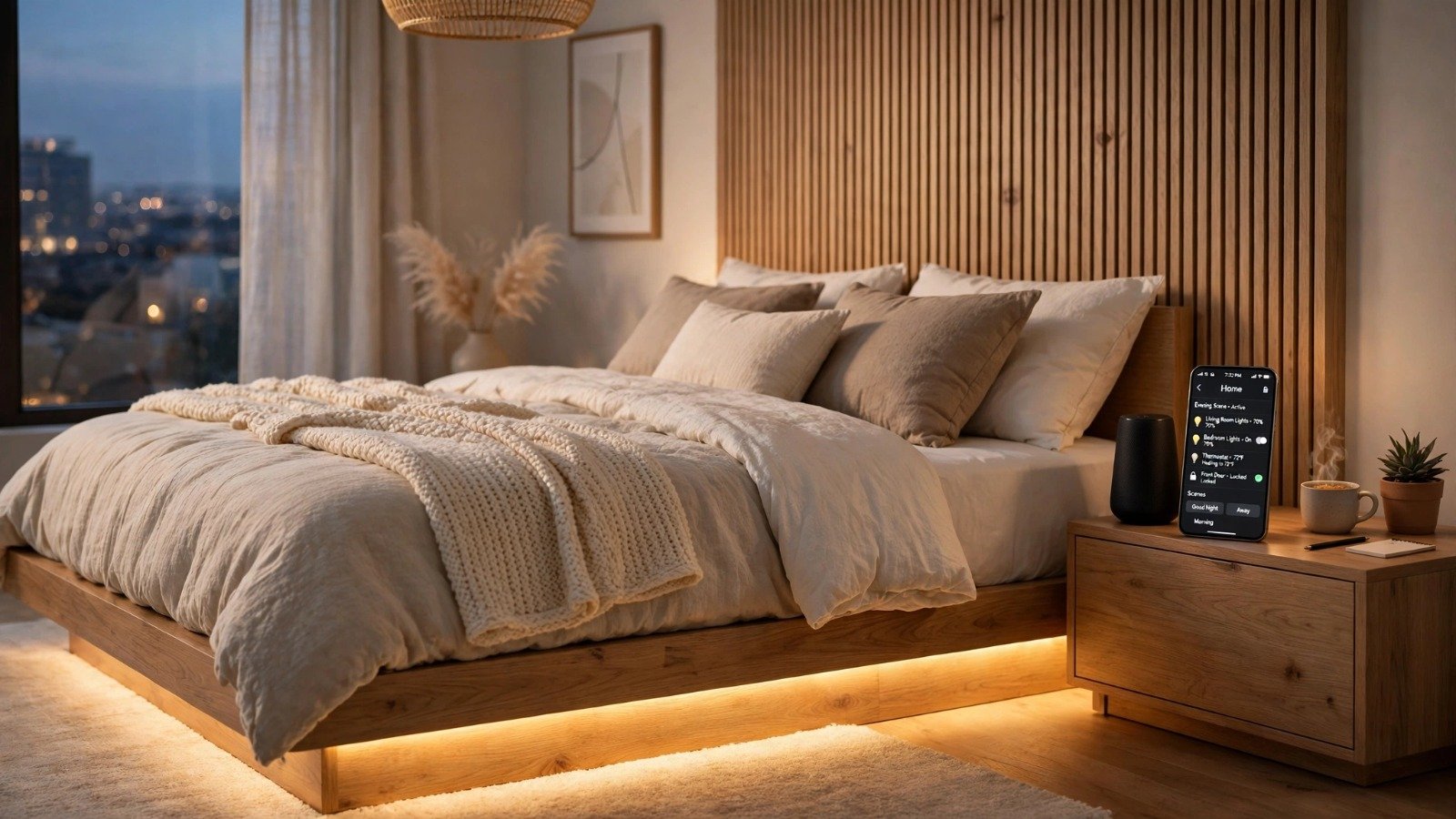
Before buying any smart devices, you need to pick a central ecosystem. This is the app or assistant you will use to control all your gadgets from one place.
The best part? The main software is completely free on your smartphone:
-
Amazon Alexa: Excellent compatibility with almost every budget brand. The Alexa app lets you organize devices into rooms and set up time-based routines easily.
-
Google Home: Great for Android users and powerful at answering general voice queries and managing routine schedules.
-
Apple Home: Best for iPhone users, though compatible devices can sometimes cost a bit more.
Budget Tip: Look for devices that support Matter or explicit Wi-Fi compatibility with Alexa and Google Home. This ensures your gadgets talk to each other without requiring you to purchase an expensive central hub.
Phase 2: Start with the Cheapest High-Value Devices
If you have a limited budget, put your money where it gives you the biggest immediate convenience.
1. Smart Plugs (The Best Starting Point)
A smart plug is a small adapter that sits between your wall outlet and any standard electrical device. It immediately turns regular “dumb” appliances into smart ones for around $10 to $15 each.
-
What you can automate: Desk lamps, coffee makers, slow cookers, standing fans, and holiday decorative lights.
-
Best feature: Setting daily timers so appliances automatically turn off when you leave or go to bed.
2. Smart Bulbs vs. Smart Switches
Lighting is usually the most noticeable part of a smart home, but you do not need to replace every bulb in your house.
-
Smart Bulbs: Ideal for table lamps, bedside lights, or single-socket fixtures. Brands like TP-Link Kasa or Govee offer dimmable, multi-color bulbs for under $10 to $15 per bulb.
-
Smart Switches: Better if one wall switch controls four or five ceiling lights. Installing one smart switch is much cheaper than buying five separate smart bulbs.
Phase 3: Add a Budget Smart Speaker
While controlling everything from your phone is fine, adding a small smart speaker changes the experience completely. It brings hands-free voice control to your living room or bedroom.
-
Budget Picks: An Amazon Echo Dot or Echo Pop. These entry-level speakers frequently go on sale for under $25 to $35.
-
Why it helps: You can turn off all lights, set morning alarms, play music, or turn off fans without touching your phone or getting out of bed.
Phase 4: Affordable Home Security Essentials
Once your lighting and plugs are set up, you can expand into basic home security without paying monthly subscription fees.
-
Indoor/Outdoor Wi-Fi Cameras: Brands like Wyze (Wyze Cam v4) or Blink offer crisp QHD video, night vision, and motion alerts for under $35 to $40.
-
Door & Window Contact Sensors: Small magnetic sensors placed on your main door can trigger your smart lights to turn on automatically the second you open the door at night.
Sample $100 Starter Setup Blueprint
Here is an example of how far a $100 budget can take you:
-
Smart Speaker: 1 Echo Dot or Google Nest Mini (~$30)
-
Smart Plugs: 2-Pack TP-Link Kasa Plugs (~$20)
-
Smart Bulbs: 2-Pack Dimmable Wi-Fi LED Bulbs (~$20)
-
Security Camera: 1 Compact Wi-Fi Camera (~$30)
Total: ~$100 for a fully functional, multi-room smart home setup.
4 Rules to Avoid Wasting Money
-
Stick to 2.4 GHz Wi-Fi: Almost all budget smart home devices run on standard 2.4 GHz Wi-Fi networks. Make sure your home router supports this (almost all do).
-
Avoid Proprietary Hubs: Unless you are building a complex multi-room setup, avoid devices that force you to buy their brand-specific $50 bridge or hub. Stick to direct Wi-Fi or Matter-compatible gear.
-
Beware of Monthly Subscriptions: Look for security cameras that support local microSD card storage so you do not have to pay monthly cloud recording fees.
-
Expand Room by Room: Start with the room you spend the most time in (usually the bedroom or living room). Learn how routines work before buying devices for the entire house.
Want More Insights to Grow Your Digital Presence & Daily Productivity?
Whether you need to fix your website’s technical performance or build a smarter, burnout-free work routine, NewsUpTo delivers practical guides to keep you ahead.





Leave feedback about this