

When starting a smart home setup, most people focus on picking smart light bulbs, motion sensors, or security cameras. However, the most critical decision happens behind the scenes: choosing the wireless protocols that allow those devices to communicate with each other.
With terms like Matter, Zigbee, and Thread dominating product boxes, confusion is common. Choosing the wrong standard can lead to slow response times, unstable connections, vendor lock-in, and unnecessary hardware expenses.
Understanding how these protocols differ helps you build a fast, reliable, and cost-effective smart home network.
1. Understanding the Architecture: Network Protocols vs. Application Languages
The most common misconception in smart home tech is comparing Matter directly to Zigbee or Thread as if they were identical technologies.
The Two Technical Layers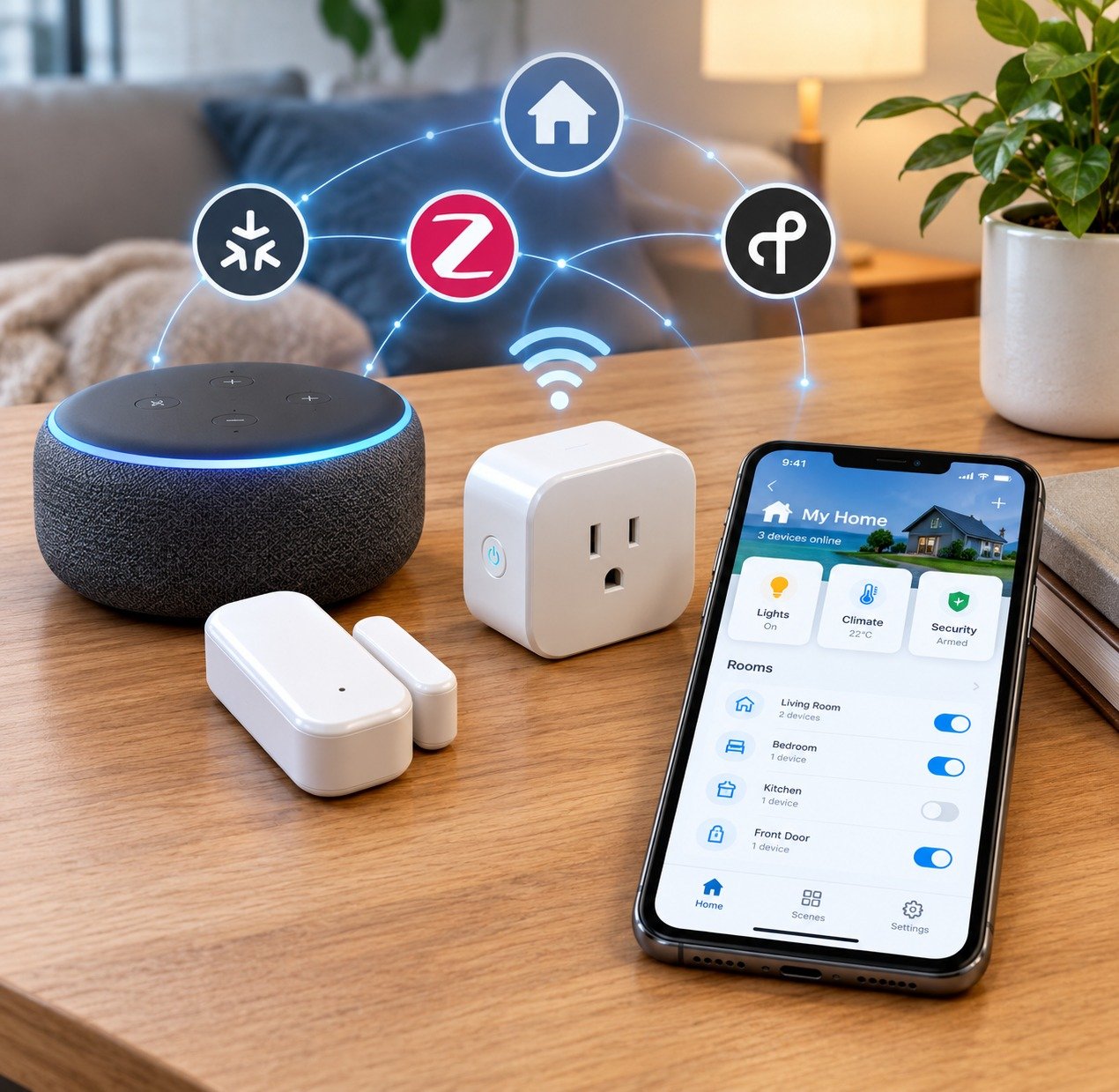
-
Network Transport Layer (Zigbee & Thread): The physical wireless radio signals that transmit data packets through walls and across rooms, creating a low-power mesh network between sensors and plugs.
-
Application Layer (Matter): The universal language operating on top of transport networks. It ensures a Matter-certified smart plug from one manufacturer understands commands sent from an Apple Home, Google Home, or Amazon Alexa controller.
2. Head-to-Head Comparison: Zigbee vs. Thread vs. Matter
Evaluating wireless options across budget, speed, hardware variety, and hub dependency reveals distinct advantages for each setup.
| Feature | Zigbee | Thread | Matter (over Thread/Wi-Fi) |
| Primary Function | Low-power mesh network. | Low-power IPv6 mesh network. | Universal application compatibility layer. |
| Device Cost | Very Low ($5 to $15 per sensor). | Moderate ($15 to $35 per sensor). | Moderate to High ($20 to $45). |
| Hub Requirement | Requires a dedicated Zigbee hub or USB dongle. | Requires a Thread Border Router (Apple TV, HomePod, Nest). | Requires a Matter Controller (built into modern smart speakers). |
| Interoperability | Brand-dependent clusters; can require custom bridges. | Native IP routing across devices. | 100% universal cross-brand compatibility. |
| Network Self-Healing | Excellent mesh stability. | Superior IPv6 self-healing mesh. | Inherits underlying network strength. |
3. Deep Dive into Each Wireless Option
Zigbee: The King of Budget Smart Homes Today
Zigbee has been the gold standard for low-cost, local smart home automation for over a decade. Because Zigbee operates on a self-healing mesh topology, every mains-powered device (like a smart plug) acts as a repeater, extending range across your entire house.
-
Pros: Extremely affordable sensors available on sites like AliExpress and Amazon; operates completely offline; vast ecosystem of door sensors, motion detectors, and light switches.
-
Cons: Requires a dedicated Zigbee gateway or a USB coordinator (such as a Sonoff Zigbee Dongle plugged into a Home Assistant server).
Thread: The Next-Generation Mesh Protocol
Thread is a low-power, low-latency wireless mesh protocol based on open IPv6 standards. Unlike Zigbee, Thread devices do not require a proprietary translation hub. Instead, any Thread Border Router can route data packets directly to your local Wi-Fi network.
-
Pros: Ultra-fast response times; native IP addressing; robust self-healing mesh with zero single point of failure.
-
Cons: Hardware remains slightly more expensive than legacy Zigbee alternatives; ecosystem selection is still growing.
Matter: The Universal Compatibility Standard
Developed by the Connectivity Standards Alliance (CSA)—backed by Apple, Google, Amazon, and Samsung—Matter eliminates vendor lock-in. A Matter device works locally over your existing Wi-Fi or Thread network without relying on cloud servers.
-
Pros: Local control means automations execute instantly even during internet outages; multi-admin support allows simultaneous control from multiple apps.
-
Cons: Early firmware releases experienced minor pairing glitches; protocol development is ongoing for complex device categories.
4. The Ideal Budget Strategy for Home Automation
You do not need to choose a single protocol for your entire home. The best strategy uses a hybrid approach based on hardware pricing and functional needs.
-
Use Zigbee for Cheap Sensors: Buy low-cost Zigbee contact sensors, motion detectors, and temperature monitors to keep entry costs low.
-
Use Thread & Matter for Key Infrastructure: Invest in Matter-over-Thread smart plugs or wall switches that act as future-proof mesh repeaters throughout major rooms.
-
Unify Everything with an Open Hub: Combine all protocols seamlessly into a central controller platform, as detailed in our complete guide to building an affordable smart home ecosystem.
Securing your smart home network also involves protecting local Wi-Fi router settings, a concept highlighted in our everyday online privacy and data protection tips. Furthermore, running local home automation servers offline mirrors technical workflows found in our guide on how to run AI locally on PC.
Want More Insights to Grow Your Digital Presence & Daily Productivity?
Whether you need to fix your website’s technical performance or build a smarter, burnout-free work routine, NewsUp To delivers practical guides to keep you ahead.





Leave feedback about this