

When traditional companies transitioned to remote work, most made a critical mistake: they copied their physical office habits directly onto digital screens. They replaced desk drop-bys with endless Zoom meetings and physical shoulder taps with constant Slack pings.
The result has been widespread burnout, fragmented focus, and team members working past midnight just to reply to real-time chat threads.
For global teams spanning multiple time zones, trying to coordinate everyone in real time is impossible.
The solution is adopting asynchronous communication—a methodology where team members exchange information, assign tasks, and advance projects without needing to be online at the exact same moment.
Here is your complete operational playbook for building a high-performing, async-first distributed remote team.
How Do You Build an Async Remote Culture?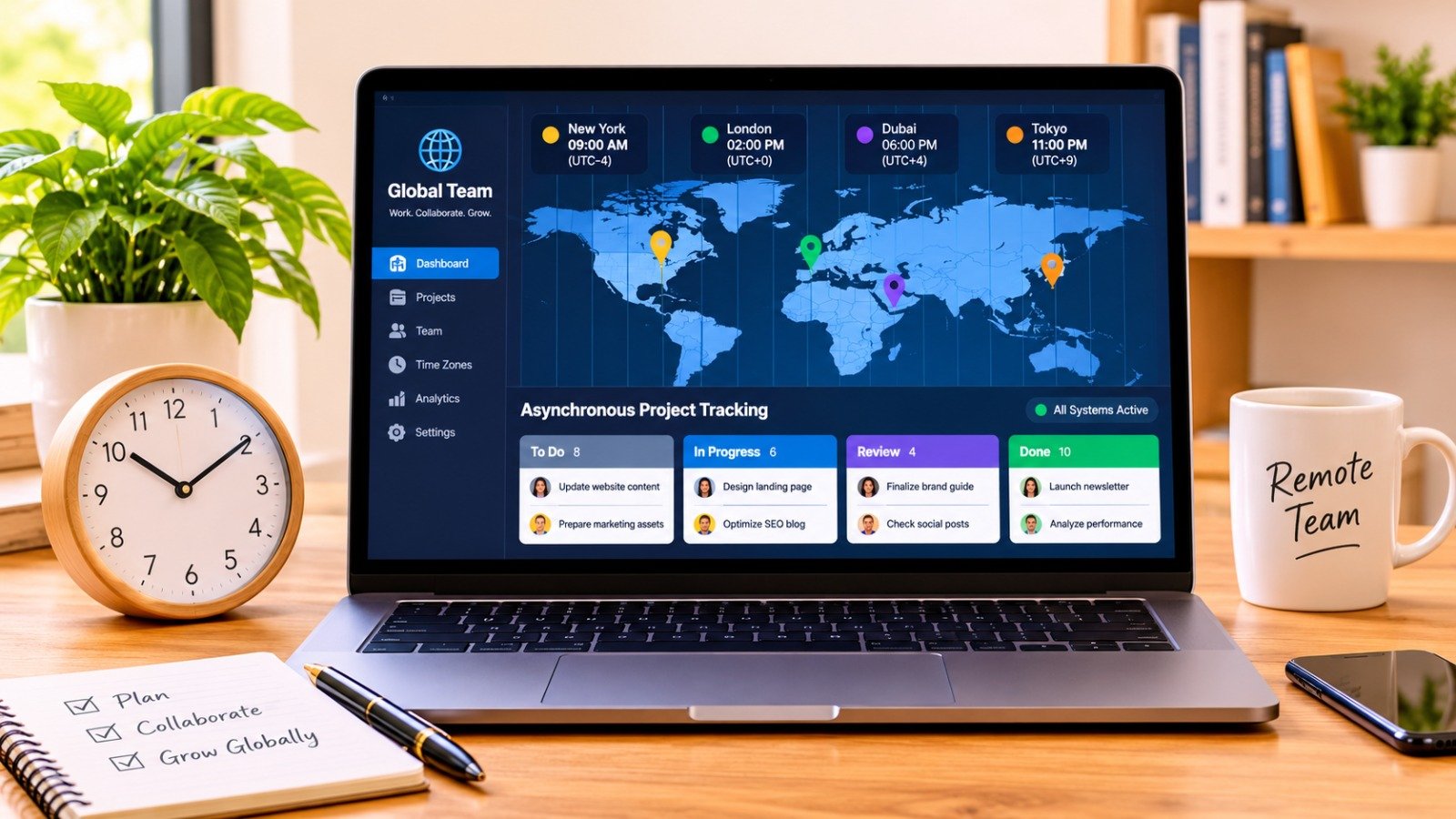
Transitioning a remote team from real-time chaos to structured asynchronous efficiency requires four fundamental operational shifts:
-
Default to Public Written Documentation: Document processes, decisions, and project updates in a centralized, searchable knowledge base rather than in ephemeral chat threads.
-
Define Clear Response Time SLAs: Establish explicit expectations for reply windows (e.g., chat messages get a response within 4 to 8 hours, non-urgent emails within 24 hours) to remove constant-availability anxiety.
-
Brief with Complete Context: Write messages like you won’t be around to answer follow-up questions for 12 hours, including full background, assets, and recommended next steps upfront.
-
Reserve Synchronous Meetings for Specific Use Cases: Limit real-time video calls to one-on-one coaching, sensitive feedback, initial brainstorming, and urgent incidents.
Synchronous vs. Asynchronous: Channel Routing Matrix
Using the wrong communication channel for a specific task causes project friction and meeting overload. Use this decision framework to match your message to the correct delivery method:
| Communication Scenario | Recommended Channel | Delivery Mode | Expected Response SLA |
| Urgent Outages / Security Incidents | PagerDuty / Phone Call | Synchronous | Immediate (< 15 Minutes) |
| Nuanced 1:1 Performance Feedback | Video Call (Zoom / Google Meet) | Synchronous | Scheduled Real-Time |
| Complex Creative Brainstorming | FigJam / Miro + Short Call | Hybrid Sync | Real-Time Session |
| Project Status Updates & Standups | Notion / Linear / Geekbot | Asynchronous | Within Working Hours |
| Feedback on Drafts & Proposals | Google Docs / Figma Comments | Asynchronous | Within 24 Hours |
| Process Documentation & SOPs | Company Wiki / Notion | Asynchronous | Permanent Reference |
According to comprehensive remote work research published in the GitLab Remote Work Playbook, companies that formalize written documentation and default to asynchronous workflows experience higher employee retention, lower operational overhead, and greater speed across global time zones.
Rule 1: Master the “Five-W” Written Briefing Method
In a synchronous office, sending a short message like “Hey, do you have a minute?” is common. In a distributed team spanning Tokyo, London, and San Francisco, that single message can delay a project by an entire day.
When initiating an async task or asking a question, provide complete context upfront using the Five-W Framework:
-
What: Clearly state the goal or deliverable.
-
Why: Explain the context and business impact behind the request.
-
Where: Include links to relevant specs, Figma designs, Github pull requests, or background docs.
-
When: State an explicit deadline (including time zone, e.g., “Needed by Thursday 5:00 PM EST”).
-
Which Action: Define your proposed default next step if no alternative feedback is given within 24 hours.
Rule 2: Shift Status Meetings to Asynchronous Updates
Daily 15-minute standup meetings across five time zones force team members to wake up early or stay up late just to speak for two minutes.
Replace live standup meetings with asynchronous check-ins using your project management platform or dedicated Slack bots.
Every team member posts three bullet points at the start of their personal local workday:
-
Completed: What did you finish during your last work block?
-
Current Focus: What are you working on today?
-
Blockers: What requires input or approval from a teammate?
For guidance on implementing asynchronous operational habits, review the insights in Doist’s Guide to Asynchronous Work.
Rule 3: Document Decisions in a Centralized Wiki
Decisions made inside transient Slack threads or informal video chats disappear quickly. When team members in other regions log on, they lack visibility into why a design changed or a technical path was chosen.
Adhere to the “Single Source of Truth” Rule:
-
A decision is not official until it is recorded in your team’s central repository (e.g., Notion, Confluence, or GitHub).
-
Every major proposal should be documented as an async RFC (Request for Comments).
-
Stakeholders have a designated 24-to-48-hour window to review, comment, and leave feedback before the proposal advances to execution.
Learn how to streamline technical integrations with custom logic in our guide on how to build a custom ai workflow for small business lead generation.
Rule 4: Establish Explicit Communication SLAs
The primary cause of remote work anxiety is ambiguity around response times. When expectations are unstated, employees feel pressured to check notifications constantly, shattering their ability to enter deep work states.
Publish explicit Service Level Agreements (SLAs) in your company handbook:
-
Internal Slack/Teams Messages: Response expected within 4 to 8 working hours (Not immediate).
-
Email & External Messages: Response expected within 24 business hours.
-
Document Feedback (Docs/Figma): Reviews completed within 48 business hours.
-
Urgent Escalations (PagerDuty/Call): Reserved strictly for critical production outages or severe operational emergencies.
Explore practical tools to automate team notifications in our curated roundup of the top ai tools for automating daily workflows.
To learn more about setting up communication channels effectively, consult the Atlassian Guide on Asynchronous Communication Rules.
If your remote setup includes home office ergonomics for long focus sessions, check out our recommendations for budget ergonomic workstation gear for renters small apartments.
Want More Insights to Grow Your Digital Presence & Daily Productivity?
Whether you need to fix your website’s technical performance or build a smarter, burnout-free work routine, NewsUp To delivers practical guides to keep you ahead.




Leave feedback about this