

App subscription fatigue is real. Today, almost every mobile application—from basic note-taking tools and habit trackers to password managers and media players—demands a $5 to $15 monthly fee. Over a year, these recurring charges quietly add up to hundreds of dollars.
Fortunately, Android users have a powerful alternative: F-Droid. F-Droid is an independent, community-driven app repository that hosts exclusively Free and Open-Source Software (FOSS). By replacing proprietary subscription apps with transparent F-Droid alternatives, you can reclaim your digital privacy, eliminate monthly fees, and own your software completely.
1. What Is F-Droid and Why Should You Use It?
Unlike traditional app marketplaces, F-Droid enforces strict privacy and software freedom standards. Every application published on the platform must make its source code publicly available for security auditing.
Advantages of the F-Droid Ecosystem
-
Zero Advertisements & Trackers: F-Droid binaries are compiled directly from open source code, ensuring no third-party telemetry or advertising SDKs track your behavior in the background.
-
No Account Required: You do not need to create an account, enter an email address, or provide credit card information to download or update apps.
-
Complete Data Ownership: F-Droid apps prioritize local file storage and open standard formats, ensuring your notes, passwords, and photos remain under your control.
2. Top F-Droid Alternatives for Popular Paid Apps
Replacing proprietary subscription software does not mean sacrificing functionality. Here are the best open-source replacements available on F-Droid today:
| Category | Proprietary / Paid App | Top F-Droid Open-Source Replacement | Core Benefit |
| Password Manager | 1Password / Dashlane ($3–$5/mo) | KeePassDX | Off-line, zero-knowledge encrypted local password vault with auto-fill support. |
| Two-Factor Auth | Authy / LastPass Authenticator | Aegis Authenticator | Encrypted 2FA token vault with offline biometric lock and manual export backups. |
| Music Player | Spotify / Apple Music ($11/mo) | InnerTune / ViMusic | Ad-free music streaming pulling from open audio feeds with background play. |
| Photo Gallery | Google Photos / Cloud Storage | Aves Libre | High-speed, local gallery app with advanced tag sorting and metadata stripping. |
| PDF & Document Scanner | CamScanner / Adobe Scan ($10/mo) | Open-Scan | Privacy-focused mobile document scanner that converts paper to PDF with zero cloud uploads. |
3. How to Safely Install and Manage F-Droid Apps
Setting up F-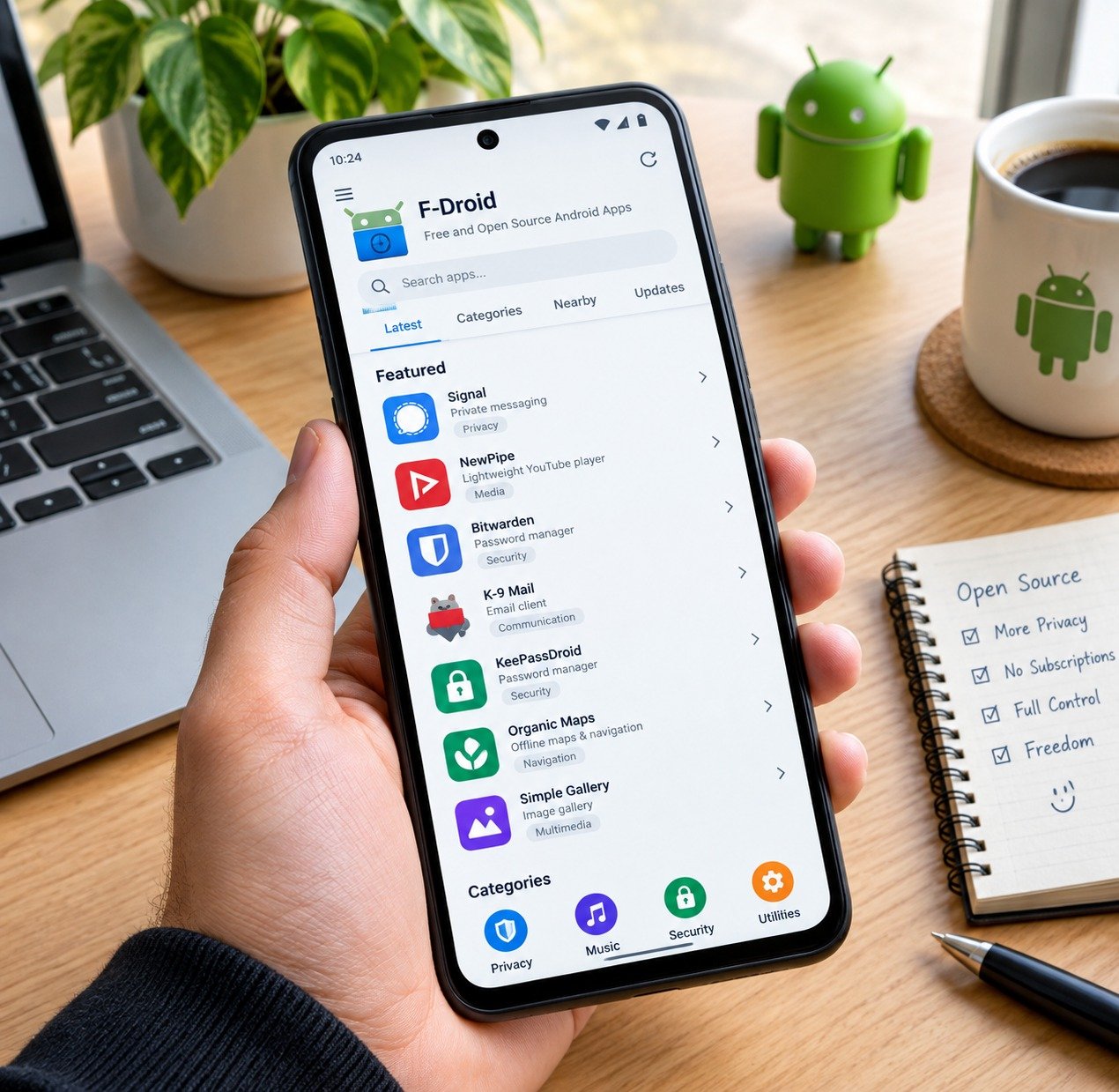 Droid on your Android device takes less than five minutes and opens up thousands of community-built utilities.
Step-by-Step Installation Guide
-
Download the Official APK: Visit the official site at
f-droid.organd download the F-Droid client installer. -
Enable App Installation: When prompted by Android, grant your browser permission to install unknown apps once.
-
Add Repositories (Optional): Expand your app library by adding third-party open-source repositories (such as IzzyOnDroid) directly inside the F-Droid app settings.
-
Automate Updates: Enable background updates in F-Droid settings so your open-source tools receive security patches automatically.
4. Building a Complete Privacy-First Mobile Workflow
Migrating to F-Droid is a major step toward complete digital autonomy.
-
Strengthen Account Security: Pair your new open-source 2FA tools with habits from our guide on everyday online privacy and data protection tips.
-
Take Mobile Freedom Further: Learn how to remove background tracking services completely in our step-by-step tutorial on how to degoogle your android phone.
-
Process Data Privately: Combine local mobile tools with desktop workflows like how to run AI locally on PC to keep all your personal workflows offline.
Want More Insights to Grow Your Digital Presence & Daily Productivity?
Whether you need to fix your website’s technical performance or build a smarter, burnout-free work routine, NewsUp To delivers practical guides to keep you ahead.



Leave feedback about this