

Auditing credit card statements manually is a tedious task. Between dense multi-column PDFs, cryptic merchant codes, hidden interest charges, and unexpected recurring subscription fees, critical details easily get missed.
While cloud-based AI tools can summarize documents, uploading full bank and credit card statements to external servers exposes your sensitive financial history, account numbers, and location data. By leveraging local open-weight AI models on your personal computer, you can build an automated, zero-cloud financial extraction and auditing engine that runs completely offline.
1. Why Local AI Superior for Financial Statement Parsing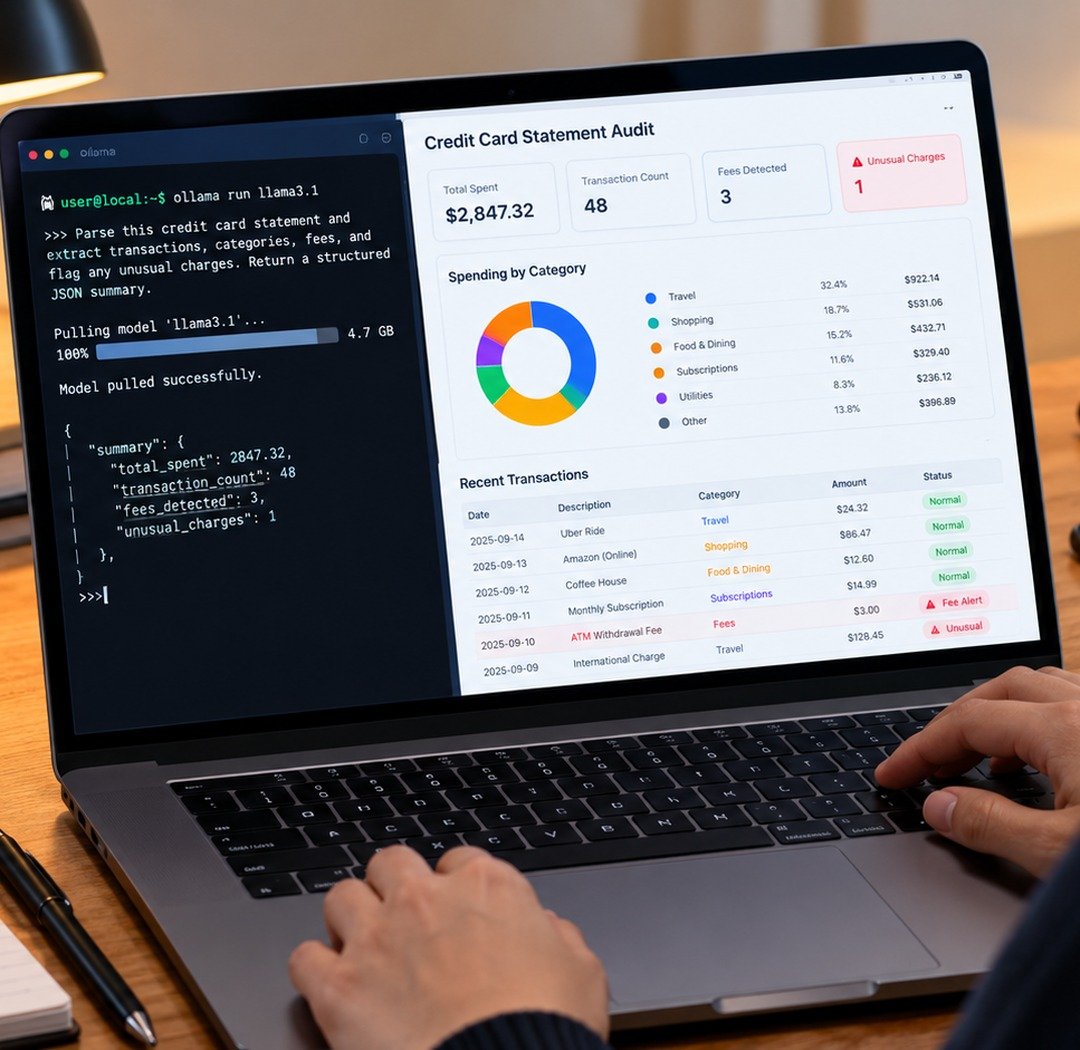
Traditional regex-based PDF parsers break whenever a credit card issuer updates their statement layout. Cloud AI models handle messy layouts easily, but require sending unencrypted private financial records across third-party networks.
Advantages of Offline AI Auditing
-
100% Data Confidentiality: Your account numbers, total balances, and transaction habits never leave your local hardware.
-
Layout Resilience: Local Large Language Models (LLMs) interpret tabular data contextually, accurately matching transaction rows across multi-page PDF splits without relying on rigid pixel coordinates.
-
Zero API Costs: Process unlimited historical statements without paying per-token API fees or facing monthly rate limits.
2. Setting Up Your Local Extraction Environment
To build an offline statement parser, you need a local model engine (such as Ollama) paired with an open-source model capable of structured data extraction.
Recommended Model Options
-
Llama 3.2 (3B / 8B): Fast, highly efficient for basic text parsing, date formatting, and tabular JSON extraction on standard consumer laptops.
-
DeepSeek-R1 (8B / 14B): Exceptional reasoning capabilities for spotting complex hidden fees, calculating compound interest rates, and categorizing ambiguous merchant codes.
3. Step-by-Step Execution: From PDF to Audited JSON
Converting a messy PDF credit card statement into clean, audited data requires a two-step local workflow: layout text extraction followed by structured LLM parsing.
Step 1: Prompt for Enforced Structured JSON Output
Pass the extracted raw statement text into your local model using a strict prompt framework:
Comparison: Traditional Scripting vs. Local AI Parsing
| Metric | Rule-Based Python Script | Local AI Model (e.g., Llama / DeepSeek) |
| Setup Effort | High (Requires custom code per bank format). | Low (One single prompt works across multiple banks). |
| Data Privacy | 100% Local. | 100% Local (Runs entirely offline). |
| Handling Layout Changes | Breaks when PDF layout shifts. | Adapts dynamically to layout changes. |
| Audit Intelligence | None (Requires hardcoded logic). | Identifies anomalies and categorizes contextually. |
2. Auditing for Hidden Fees and Subscriptions
Beyond simple data extraction, local reasoning models excel at uncovering silent financial leaks across monthly billing cycles.
-
Subscription Creep Detection: Compare parsed JSON outputs across consecutive months to identify recurring services that raised prices without clear notification.
-
Interest & Fee Auditing: Verify that card issuers applied correct promotional APR rates and did not charge unexpected maintenance or late payment fees.
Setting up offline LLM environments is straightforward when following our detailed guide on how to run AI locally on PC. You can automatically pipe your cleaned local JSON output into custom dashboards by pairing this system with our guide on building an automated expense tracker in Google Sheets using AI, while maintaining complete peace of mind through our everyday online privacy and data protection tips.
Want More Insights to Grow Your Digital Presence & Daily Productivity?
Whether you need to fix your website’s technical performance or build a smarter, burnout-free work routine, NewsUp To delivers practical guides to keep you ahead.





Leave feedback about this