

Modern smartphones offer powerful processors, incredible cameras, and vibrant displays. However, all these features rely on a single component that wears down over time: the lithium-ion battery. Most users notice their phone holding less charge after a year or two of regular use.
While chemical aging is a natural process for all rechargeable batteries, improper charging habits and extreme heat accelerate this degradation significantly. By making small adjustments to how you charge and use your device, you can preserve your phone battery health for years.
Below is a clear, beginner-friendly guide covering simple ways to extend smartphone battery lifespan on both Android and iPhone devices.
1. Practice the 20-80 Charging Rule
Lithium-ion batteries experience the most chemical stress when they are completely full (100%) or completely empty (0%).
-
Avoid Extreme Voltage Stress: Keeping your phone constantly plugged in at 100% generates higher internal voltage stress, which speeds up chemical wear.
-
The Sweet Spot: Aim to unplug your phone when it reaches around 80% to 85%, and plug it in once it drops near 20%.
-
Unplug Overnight: Leaving your phone on the charger all night holds the battery at maximum voltage for hours. If you must charge overnight, turn on your device’s built-in battery optimization features.
2. Keep Your Phone Cool and Avoid Extreme Heat
Heat is the single greatest enemy of rechargeable battery health. High ambient temperatures degrade internal battery chemistry much faster than regular daily use.
-
Avoid Charging Under Pillows or Covers: Charging generates natural heat. Placing your phone under blankets or heavy cushions traps heat around the battery.
-
Remove Heavy Cases While Charging: Dense protective cases can trap heat during fast-charging sessions. Take off thick cases if your phone feels warm to the touch.
-
Keep Away from Direct Sunlight: Never leave your smartphone on a hot car dashboard or exposed to direct sunlight outdoors during summer.
Keeping your physical ports clean also prevents resistance heat during charging. For detailed maintenance steps, visit our guide on how to clean smartphone charging port safely.
3. Enable Built-In Battery Protection Settings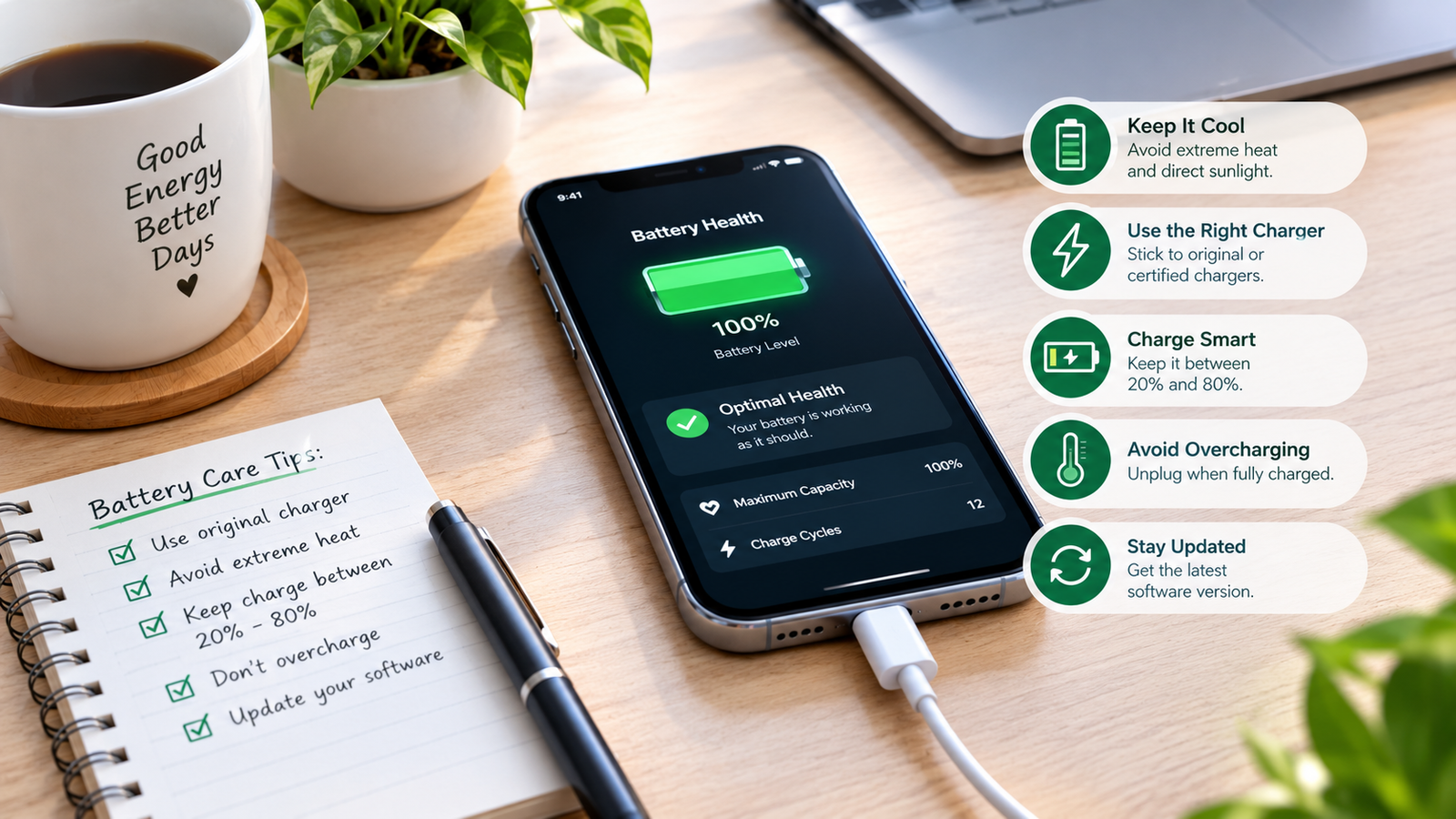
Modern iOS and Android operating systems include intelligent software tools designed specifically to slow down battery aging.
-
Optimized Battery Charging (iOS): iPhones use machine learning to understand your daily charging routine. The phone pauses charging at 80% overnight and finishes the final 20% right before you wake up.
-
Protect Battery / Adaptive Battery (Android): Many Android phones feature settings that cap maximum charge at 80% or 85% to extend long-term health.
-
Enable Low Power Mode: Using battery saver modes during low-charge periods prevents deep voltage drops.
4. Manage Screen Brightness and Refresh Rates
The display panel is usually the single largest consumer of battery power on any smartphone.
-
Use Auto-Brightness: Letting your phone automatically adjust screen brightness based on ambient room light prevents unnecessary power drain.
-
Enable Dark Mode: On phones with OLED or AMOLED screens, dark mode turns off individual pixels completely when displaying black, saving energy.
-
Lower Refresh Rates: If your phone supports 120Hz smooth display modes, lowering it to standard 60Hz when reading or browsing significantly reduces battery strain.
Reducing screen exposure and brightness also benefits your physical health, as discussed in how to stop digital eye strain and how to fix tech neck posture at desk.
5. Adjust Background Refresh and Connectivity Features
Apps running silently in the background continuously draw micro-currents from your battery, forcing it through subtle micro-charge cycles.
-
Disable Background App Refresh: Turn off background activity for social media and shopping apps that do not require instant notifications.
-
Turn Off Unused Connectivity: Disable Wi-Fi, Bluetooth, and GPS location tracking when you are not actively using them.
-
Use Official or Certified Chargers: Always use original manufacturer cables or certified third-party accessories (such as Anker or Belkin). Cheap, uncertified chargers deliver unstable voltage that damages battery cells.
Want More Insights to Grow Your Digital Presence & Daily Productivity?
Whether you need to fix your website’s technical performance or build a smarter, burnout-free work routine, NewsUpTo delivers practical guides to keep you ahead.





Leave feedback about this