
Sitting at a computer for hours every day often leads to forward head posture, rounded shoulders, and upper back tightness. Over time, poor desk posture not only causes muscle soreness but also lowers overall daily energy levels.
Fortunately, correcting your alignment does not require expensive equipment or long gym workouts. Performing targeted stretches right at your workspace can reset your posture quickly.
Below is a complete, beginner-friendly guide covering how to fix desk posture simple exercises, ergonomic workspace tweaks, and daily habits for long-term comfort.
1. Simple Desk Exercises for Posture Relief
Integrating quick physical movements into your workday releases tight chest muscles and activates weak upper back muscles.
1: Seated Chin Tucks
-
Sit upright in your office chair with your shoulders relaxed.
-
Look straight ahead and gently pull your chin straight back, as if making a subtle double chin.
-
Hold the position for 5 seconds, then release.
-
Repeat this movement 10 times to realign your cervical spine.
2: Doorway Chest Stretch
-
Stand inside an open doorway and place your forearms flat against the frame at shoulder height.
-
Step forward slowly with one foot until you feel a gentle stretch across your chest and shoulders.
-
Hold the stretch for 20 to 30 seconds while breathing deeply.
-
Return to the starting position and repeat twice.
3: Scapular Squeezes (Shoulder Blade Pinches)
-
Sit tall near the edge of your chair with arms resting at your sides.
-
Pull your shoulders back and squeeze your shoulder blades together as if holding a pencil between them.
-
Hold the contraction for 5 seconds before releasing gently.
-
Perform 10 to 12 repetitions to strengthen your mid-back posture muscles.
[ Chin Tuck Alignment ] ──> [ Chest Opener Stretch ] ──> [ Scapular Squeeze ] ──> [ Restored Posture ]
2. Ergonomic Adjustments for Proper Sitting Posture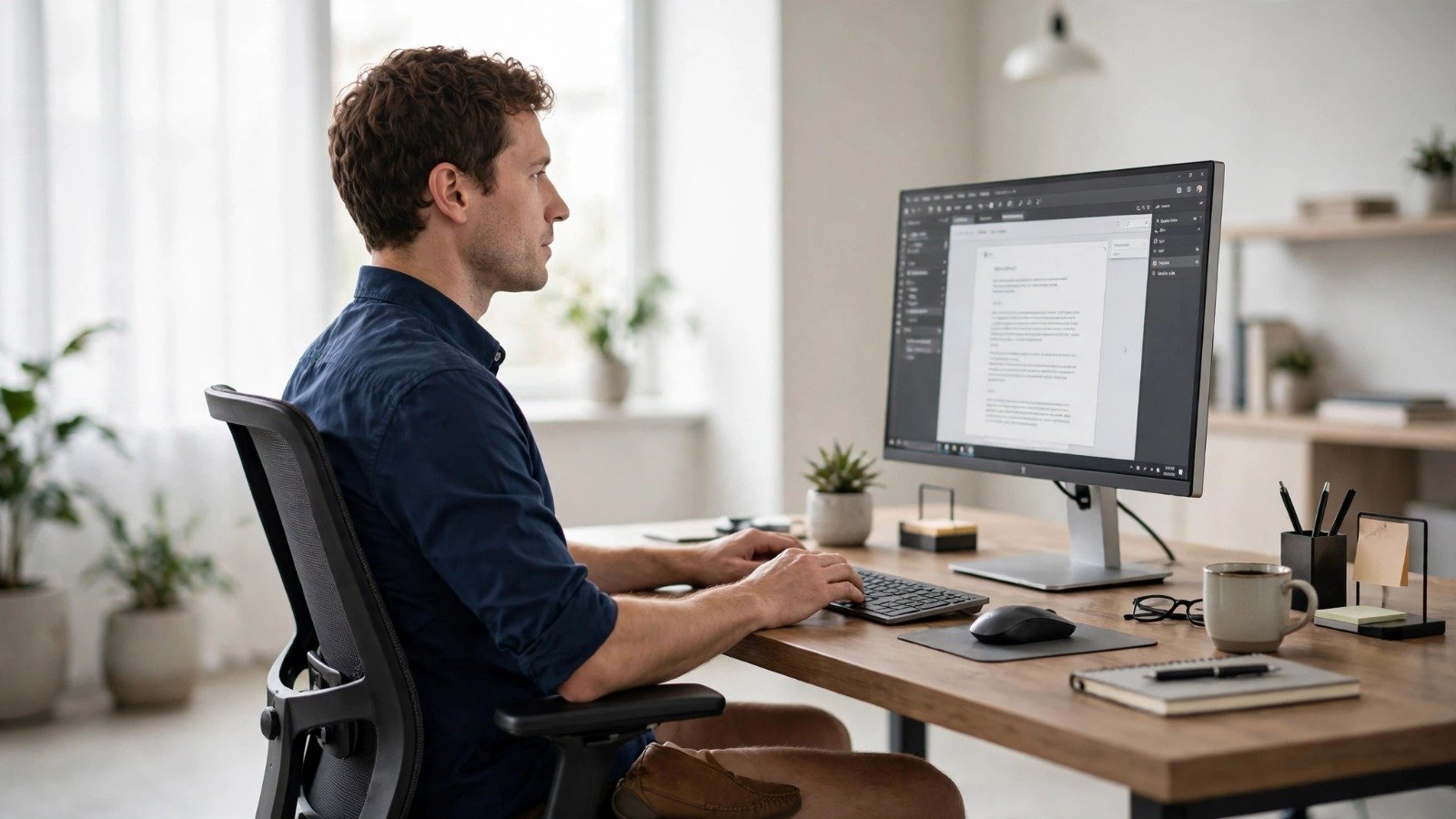
Exercises yield the best results when paired with a supportive workstation setup. Small adjustments to your desk equipment prevent slouching automatically.
-
Align Your Screen at Eye Level: Position the top third of your computer monitor directly at eye level so you do not tilt your neck downward.
-
Support Your Lower Back: Keep your hips pushed back against the chair. Use a lumbar support pillow if your chair lacks built-in curve support.
-
Keep Feet Flat on the Floor: Rest both feet completely flat on the floor, keeping your knees bent at a 90-degree angle.
-
Position Elbows Comfortably: Rest your forearms parallel to the floor with elbows resting at a 90 to 100-degree angle while typing.
| Posture Issue | Common Cause | Quick Fix |
| Forward Head Tilt | Screen placed too low | Elevate laptop with a stand or books |
| Rounded Shoulders | Reaching forward for keyboard | Pull keyboard closer to your torso |
| Lower Back Ache | Slouching in seat base | Use a lumbar cushion and sit fully back |
Additionally, protecting your arms from repetitive strain pairs naturally with exercises in simple-wrist-exercises-for-computer-users. Furthermore, incorporating light physical activity throughout your routine matches habits in easy-daily-walking-habits-for-beginners.
3. Daily Habits to Prevent Slouching
Building micro-habits keeps your spine healthy without disturbing your work focus.
Step 1: Set Hourly Movement Reminders
Set a silent notification on your phone or smartwatch every 60 minutes. Stand up, roll your shoulders backward 10 times, and take a quick glass of water.
Step 2: Practice Active Sitting
Avoid leaning entirely into your chair back all day. Periodically engage your core muscles and sit unassisted for 15-minute intervals to build core stability.
Step 3: Hydrate Regularly
Walking to the kitchen or water fountain to refill your cup creates natural movement breaks throughout the day.
Furthermore, keeping your workspace free of unnecessary digital interruptions using habits from how-to-block-callers-on-iphone-without-them-knowing helps you maintain steady workflow focus.
Want More Insights to Grow Your Digital Presence & Daily Productivity?
Whether you need to fix your website’s technical performance or build a smarter, burnout-free work routine, NewsUpTo delivers practical guides to keep you ahead.



Leave feedback about this