
Losing track of where your hard-earned money goes each month is a common frustration. Small daily purchases like morning coffees, food delivery, and quick online orders often seem harmless in the moment, but they add up to significant cash leaks over time.
Fortunately, keeping tabs on your money does not require hours of accounting work. By choosing a simple method that fits your daily routine, you can monitor your finances effortlessly.
Below is a complete, step-by-step guide explaining how to track daily expenses easily, complete with tracking methods, routine building tips, and common pitfalls to avoid.
1. Why Tracking Daily Expenses Transforms Your Finances
Before picking a system, understanding the benefits of logging your spending keeps you motivated. Daily tracking serves as the foundation for all successful money management strategies.
-
Identifies Unconscious Spending Leaks: First, logging every purchase highlights small recurring expenses that silently drain your bank account.
-
Reduces Financial Stress: Knowing your exact financial standing eliminates the anxiety of checking bank balances at the end of the month.
-
Keeps Budgets Realistic: Furthermore, tracking provides accurate data on your actual spending habits, making future budget planning much more accurate.
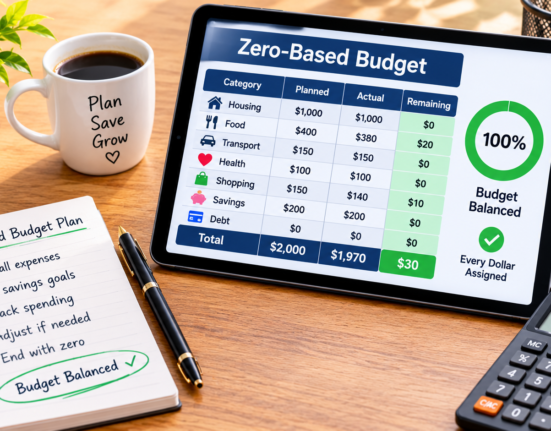
In fact, pairing daily expense tracking with structured budget models like how-to-make-a-zero-based-budget gives you complete control over your monthly income.
2. Choose Your Daily Tracking Method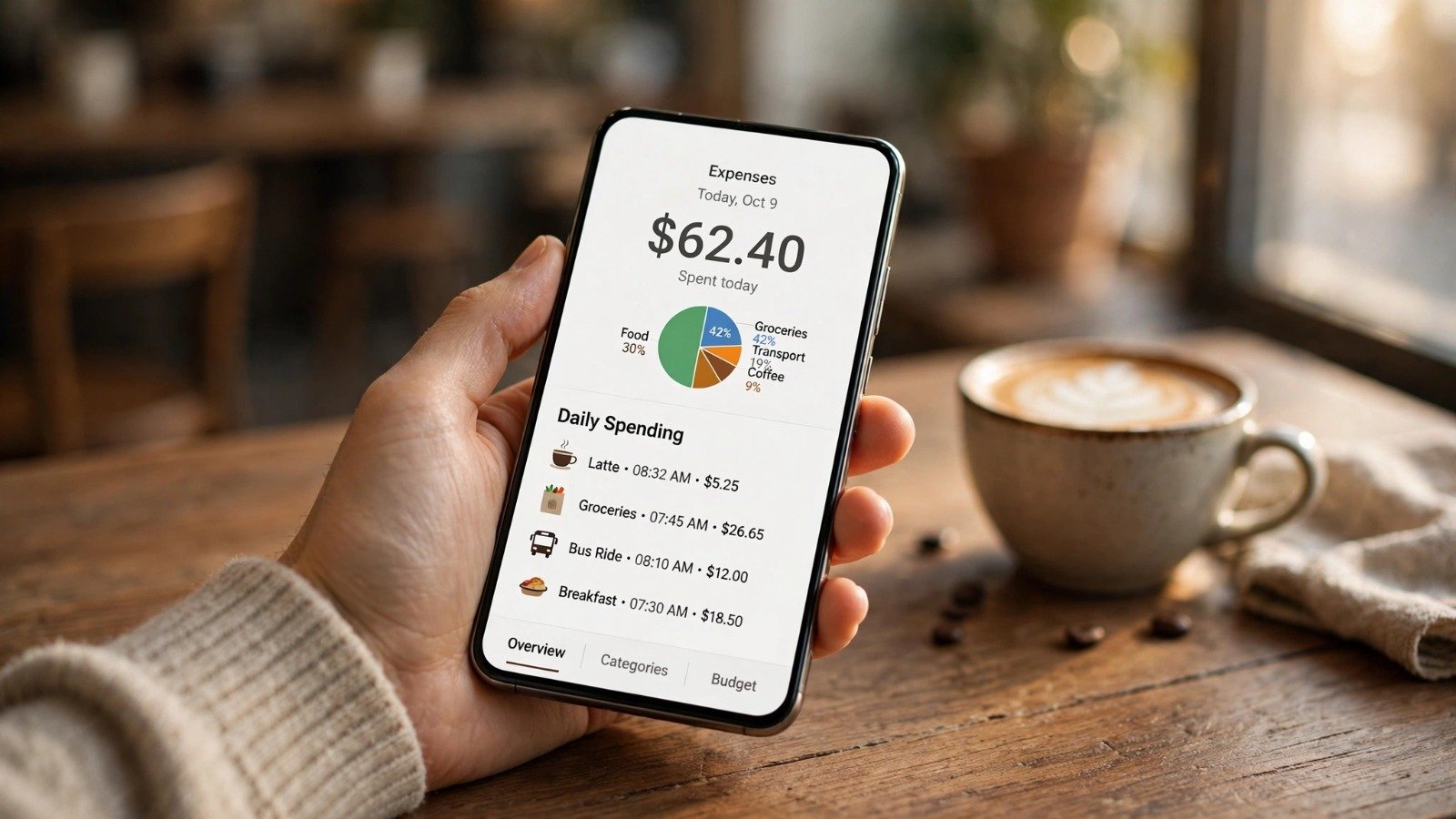
The best tracking system is simply the one you will actually use consistently. Three primary options work best for beginners:
A: The Smartphone Notes App (Simplest Method)
-
Open the built-in Notes app on your iPhone or Android device.
-
Create a note titled “Monthly Spending.”
-
Type the date and amount every time you buy something (for example: Oct 12 – $4.50 Coffee).
-
Consequently, logging takes less than 5 seconds right at the register.
B: Automated Mobile Finance Apps
-
Connect your bank account to trusted budgeting applications like PocketGuard, EveryDollar, or Simplifi.
-
The app automatically imports and categorizes your debit and credit card transactions.
-
As a result, you only need to review and approve purchases once a day.
C: A Basic Weekly Spreadsheet
-
Create a simple Google Sheet or Excel file with three columns: Date, Category, and Amount.
-
Log your receipts or bank activity once every evening before going to bed.
[ Purchase Made ] ──> [ Log in Notes / App ] ──> [ 5-Min Weekly Review ] ──> [ Adjusted Habits ]
3. Practical Habits for Consistent Expense Logging
Building the habit of recording purchases takes a few days of intentional effort. Implementing simple rules makes the routine stick naturally.
Step 1: Log Purchases Immediately
Avoid waiting until the end of the week to record your receipts. Make it a rule to record every transaction immediately after paying while the memory is fresh.
Step 2: Set a Daily 2-Minute Evening Check
Create a recurring alarm on your phone for 9:00 PM every night. Spending just two minutes reviewing your bank app ensures that all transactions from the day are logged accurately.
Step 3: Categorize Purchases into 3 Main Groups
Group your expenses into broad buckets to avoid confusion: Needs (rent, groceries), Wants (dining out, entertainment), and Savings (transfers, debt payments).
| Tracking Method | Setup Time | Daily Effort | Best Used For |
| Notes App | 1 Minute | 5 Seconds per purchase | Complete beginners wanting zero friction |
| Budgeting App | 10 Minutes | 1 Minute daily review | Busy individuals who pay mostly by card |
| Spreadsheet | 15 Minutes | 2 Minutes every evening | People who love detailed customization |
Additionally, staying disciplined with your daily spending habits helps you build a solid financial cushion, making it easier to start habits like those in how-to-build-an-emergency-fund-from-scratch. Furthermore, managing your work communication efficiently using tips from how-to-write-a-polite-follow-up-email-to-a-client ensures your income streams remain steady.
Want More Insights to Grow Your Digital Presence & Daily Productivity?
Whether you need to fix your website’s technical performance or build a smarter, burnout-free work routine, NewsUpTo delivers practical guides to keep you ahead.




Leave feedback about this