

Building a scalable digital income no longer requires managing physical inventory or securing millions in venture capital funding. Creators and independent developers are generating recurring revenue by building low-overhead assets: digital templates and micro-SaaS applications.
Digital templates (such as Notion workspaces, Figma UI kits, or Excel financial models) offer high profit margins with zero marginal replication cost. Meanwhile, micro-SaaS tools (single-feature software applications that solve one narrow problem) deliver predictable monthly recurring revenue (MRR).
When you bundle structured templates with lightweight software tools, you create a defensible digital product stack that commands higher prices and attracts loyal buyers.
Here is your complete guide on how to design, package, price, and sell digital templates and micro-SaaS products effectively.
How Do You Package and Sell Digital Products?
To package and launch a successful template or micro-SaaS product, follow these five core steps:
-
Solve One Specific Niche Problem: Avoid building generic tools; target a specific workflow pain point for a defined professional audience.
-
Bundle Templates with Micro-Software: Pair static assets (e.g., a CRM template) with functional automation (e.g., a micro-script that auto-syncs lead data).
-
Select a Merchant of Record (MoR): Use specialized digital checkout platforms to handle global payment processing, sales tax collection, and product delivery.
-
Structure Tiered Pricing Options: Offer a single-tier entry option alongside a value-packed tier featuring extra templates, video guides, or priority support.
-
Build an Automated Distribution Funnel: Drive organic traffic through problem-solving content, capturing leads via free sample templates before pitching paid products.
Templates vs. Micro-SaaS: Understanding the Product Stack
Understanding how these two asset types differ helps you combine them into a single high-converting offer.
| Product Metric | Digital Templates | Micro-SaaS Products |
| Development Effort | Low to Moderate (No-code / Design tools). | Moderate (Lightweight code, APIs, or No-Code builders). |
| Monetization Model | One-time purchase or bundle access. | Monthly or annual recurring subscription (MRR). |
| Maintenance Burden | Low (Occasional design or formula updates). | Moderate (Server uptime, API maintenance, bug fixes). |
| Customer Retention | Single transactional relationship. | Ongoing usage relationship; requires churn management. |
| Best Combined Offer | Structured framework (e.g., Content Planner). | Automated execution engine (e.g., Auto-scheduler app). |
As outlined in Salesforce’s Guide to Digital Products, digital assets allow creators to build a product once and duplicate it infinitely at near-zero marginal cost.
Step 1: Validate Your Niche Product Idea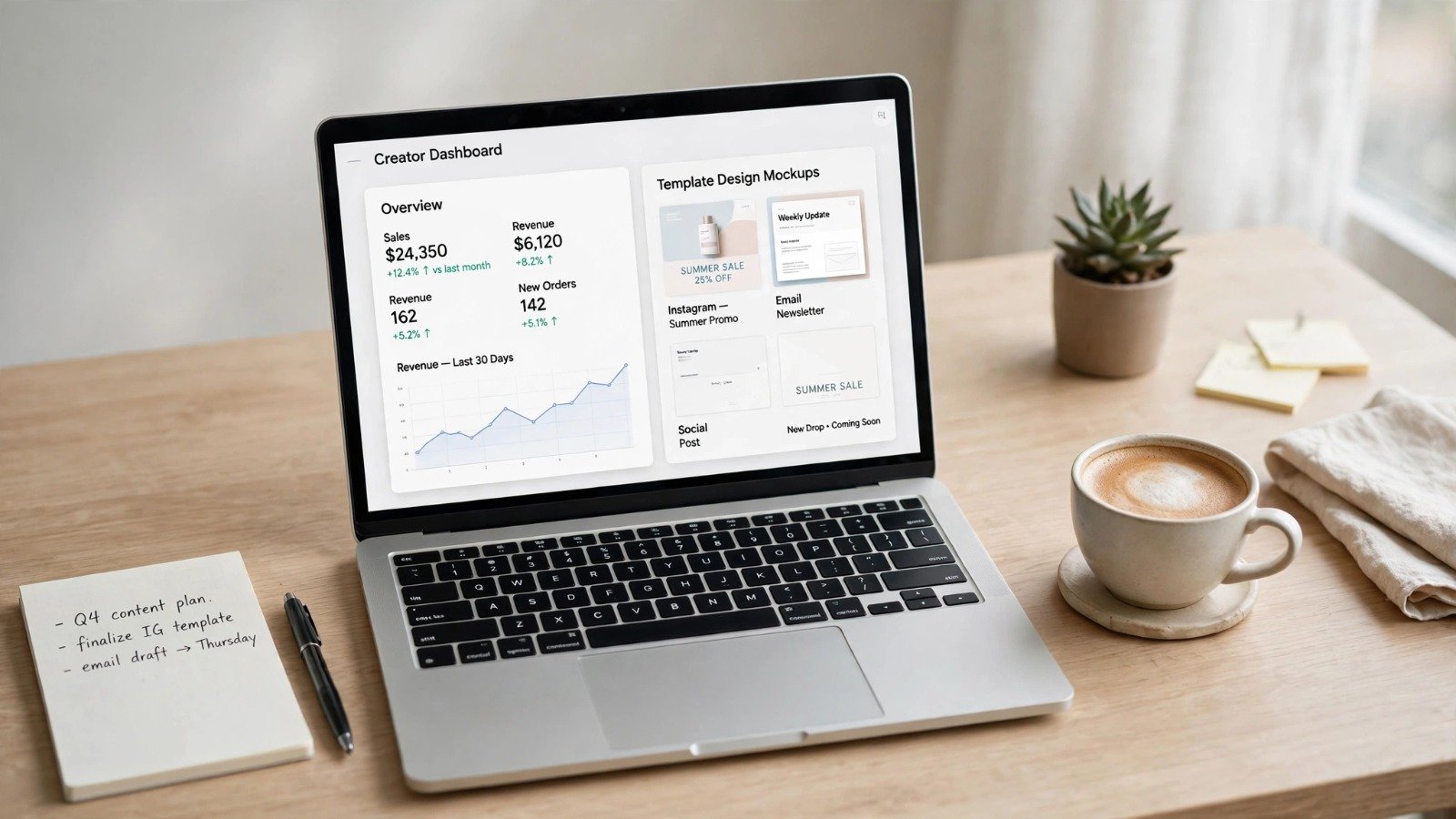
Before writing code or designing layout assets, confirm that people are actively searching for a solution to their problem.
-
Target Micro-Niches: Focus on professional roles with specific software stacks (e.g., “Notion Systems for Real Estate Agents” or “Chrome Extension for Shopify Store Managers”).
-
Analyze Existing Marketplaces: Search platforms like Etsy, Gumroad, Product Hunt, or specialized template directories. Look for existing templates with high review counts to verify commercial demand.
-
Identify Workflow Gaps: Read lower-star reviews of existing tools. Where do current templates fail? What repetitive task requires manual data entry that a simple script or micro-app could automate?
Step 2: Package Your Digital Asset for Maximum Perceived Value
Customers do not buy raw files or code snippets; they buy a faster outcome or a solved frustration. How you structure your delivery folder determines your refund rates and customer satisfaction.
1. The Core Asset
Keep your template or micro-app intuitive. If a user opens your template and feels overwhelmed by options, they will abandon it.
2. Onboarding Documentation & Video Walkthroughs
Include a clear “Start Here” page inside your template or application dashboard. Record a short 3-to-5-minute Loom video demonstrating setup, customization, and daily usage.
3. The “Hybrid Bundle” Strategy
Supercharge a simple digital template by adding a micro-SaaS component. For example:
-
Base Product: A Google Sheets Financial Tracking Template.
-
Micro-SaaS Add-On: A simple web app that securely connects to the buyer’s bank API and pushes daily transaction data straight into the sheet automatically.
This hybrid model allows you to charge a one-time price for the template while earning a recurring monthly fee for the automation tool.
Step 3: Choose Your Pricing and Packaging Strategy
According to Stripe’s SaaS Pricing Guide, packaging defines how features, access limits, and entitlements are organized into plans to drive self-serve conversions.
Effective Pricing Models
-
The Anchor Bundle (One-Time Payment): Price your starter template at $29 and your complete system (Template + Video Guides + Extra Layouts) at $69. The higher tier makes the starter option feel approachable while steering serious buyers to the main offer.
-
Lifetime Deals (LTD) for Micro-SaaS: When launching a new micro-SaaS tool, offer a limited lifetime account option (e.g., $99 one-time) to your first 100 buyers. This generates immediate cash flow and early user feedback.
-
Hybrid Subscription: Charge a one-time fee for the template asset alongside a low-cost monthly subscription ($5 to $15/month) for ongoing micro-SaaS feature updates or cloud sync capabilities.
If you are interested in building automated digital services for client operations, review our guide on how to start a white label ai automation agency.
Step 4: Set Up Your Checkout and Delivery Infrastructure
Selling digital products internationally means navigating global tax laws, VAT collection, and currency conversion.
Using a Merchant of Record (MoR) vs. Standard Payment Gateways
Instead of setting up a standard merchant account and calculating regional taxes manually, use a Merchant of Record (MoR) platform such as Lemon Squeezy, Paddle, or Gumroad. An MoR automatically collects and remits global sales tax and VAT, issues compliant customer invoices, and handles automated file delivery upon successful payment.
For step-by-step guidance on establishing your digital commerce foundation, refer to Stripe’s Guide on Starting a Digital Product Business.
Step 5: Drive Traffic and Build an Automated Funnel
A great digital product will not sell without targeted distribution. Build a simple, repeatable content engine:
-
Offer a “Freemium” Lead Magnet: Give away a simplified version of your template (e.g., a free 1-page daily habit tracker) in exchange for an email address.
-
Automate Email Nurturing: Send an automated 3-email welcome series introducing your story, demonstrating advanced workflows, and offering a discount on your main template or micro-SaaS tool.
-
Leverage SEO and Social Proof: Publish in-depth tutorial articles and short-form videos showing your product in action, highlighting real-world time savings.
Monetize your niche blog traffic effectively by exploring our step-by-step breakdown of how to monetize a niche blog affiliate marketing.
Streamline your backend business operations using our curated list of the top ai tools for automating daily workflows.
Want More Insights to Grow Your Digital Presence & Daily Productivity?
Whether you need to fix your website’s technical performance or build a smarter, burnout-free work routine, NewsUp To delivers practical guides to keep you ahead.



Leave feedback about this