
Waiting for a response after sending a proposal, invoice, or project update can make anyone feel anxious. However, sending a reminder does not have to feel awkward or aggressive.
Mastering the art of professional follow-ups allows you to keep business projects moving forward while building positive long-term client relationships.
Below is a complete guide on how to write a polite follow up email to a client, including timing guidelines, high-converting subject lines, and proven templates.
1. Essential Rules for Polite Client Follow-Ups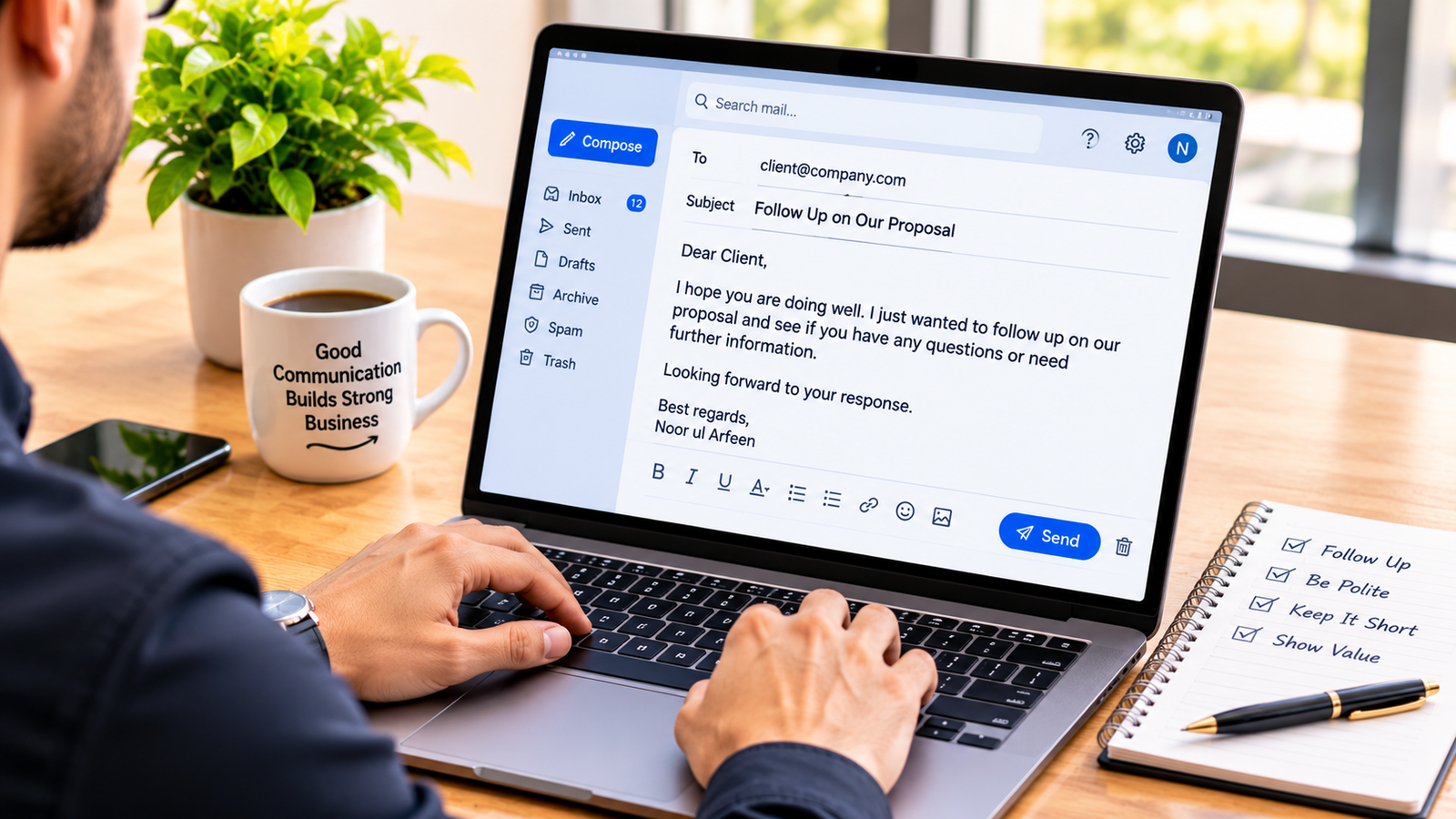
Before sending a follow-up email, reviewing core business etiquette helps ensure your message receives a positive reply.
-
Wait the Right Amount of Time: First, give your client adequate time to review your original message. Waiting 3 to 5 business days for standard proposals or 24 to 48 hours for urgent updates is usually ideal.
-
Keep It Concise: Next, respect your client’s inbox. Keep your email under 150 words so they can scan and reply quickly.
-
Add Fresh Value: After that, avoid sending messages that only say “just checking in.” Instead, include a quick answer, helpful resource, or clear update.
-
Include a Single Call to Action: Finally, ask one clear question at the end to make responding as easy as possible.
[ Clear Subject Line ] ──> [ Friendly Greeting ] ──> [ Brief Context & Value ] ──> [ One Direct Question ]
2. High-Converting Follow-Up Subject Lines
Your subject line determines whether a busy client opens your message or scrolls past it. Using clear, specific phrasing keeps your thread recognizable.
-
For Sent Proposals: Quick question regarding our project proposal
-
For Pending Invoices: Follow-up on Invoice #1042
-
For General Check-Ins: Next steps for [Project Name]
-
For Threaded Replies: Simply reply within your existing email thread so the client can review previous context easily.
3. Professional Follow-Up Email Templates
Using pre-formatted templates saves time while maintaining professional tone standards.
Template 1: Following Up on a Proposal or Quote
Subject: Next steps for [Project Name]
Hi [Client Name],
I hope you are having a great week.
I am following up on the proposal sent on [Date]. I wanted to check if you had a chance to review it or if you have any questions about the timeline and scope.
Please let me know if you would like to make any adjustments or if you are ready to move forward.
Best regards,
[Your Name]
Template 2: Following Up on an Unpaid Invoice
Subject: Friendly reminder: Invoice #[Number] due date
Hi [Client Name],
I hope your week is going well.
This is a quick reminder regarding Invoice #[Number] for [Amount], which was due on [Date]. I have re-attached the original invoice here for your convenience.
Please let me know once payment has been processed, or if you need any updated payment details.
Thanks so much,
[Your Name]
| Follow-Up Scenario | Recommended Wait Time | Primary Goal |
| Proposal Review | 3 to 5 business days | Move project into approval phase |
| Pending Invoice | 1 to 3 days post due date | Confirm payment processing |
| General Inquiry | 4 to 7 business days | Maintain active project momentum |
| Urgent Approval | 24 to 48 hours | Prevent timeline delays |
Additionally, collecting positive social proof from satisfied contacts builds long-term authority, as explored in how-to-ask-for-client-testimonials. Furthermore, maintaining organized financial tracking pairs seamlessly with methods in how-to-make-a-zero-based-budget.
4. How to Handle Multiple Unanswered Follow-Ups
If a client does not reply after your first follow-up message, remaining calm and persistent is crucial.
Step 1: Send a Second Follow-Up After One Week
First, wait 5 to 7 additional business days before reaching out again. Keep this message even shorter than the first, offering to reschedule if they are currently busy.
Step 2: Try an Alternative Communication Channel
Next, if email responses remain quiet, send a polite message via professional channels like LinkedIn or phone.
Step 3: Send a Polite “Breakup” Email
Finally, if you receive no response after three attempts, send a final closing message stating that you are pausing outreach until they are ready to reconnect.
Furthermore, reducing daily digital distractions helps keep your inbox management efficient, similar to privacy tips in how-to-block-callers-on-iphone-without-them-knowing.
Want More Insights to Grow Your Digital Presence & Daily Productivity?
Whether you need to fix your website’s technical performance or build a smarter, burnout-free work routine, NewsUpTo delivers practical guides to keep you ahead.



Leave feedback about this