
If your smartphone battery charges intermittently, charges extremely slowly, or requires you to wiggle the cable to establish a connection, the problem might not be a faulty cable or dying battery. Over months of daily use, carrying your phone in pockets, purses, or backpacks packs dense lint, dust, and fabric fibers deep inside the charging port.
When dirt gets compressed at the bottom of a USB-C or Lightning port, it prevents the charging cable pins from making solid physical contact with the phone.
Fortunately, you can fix this common issue at home without visiting a repair shop. Below is a step-by-step guide explaining how to clean smartphone charging port safely using simple, non-damaging tools.
1. What You Need (And What to Avoid)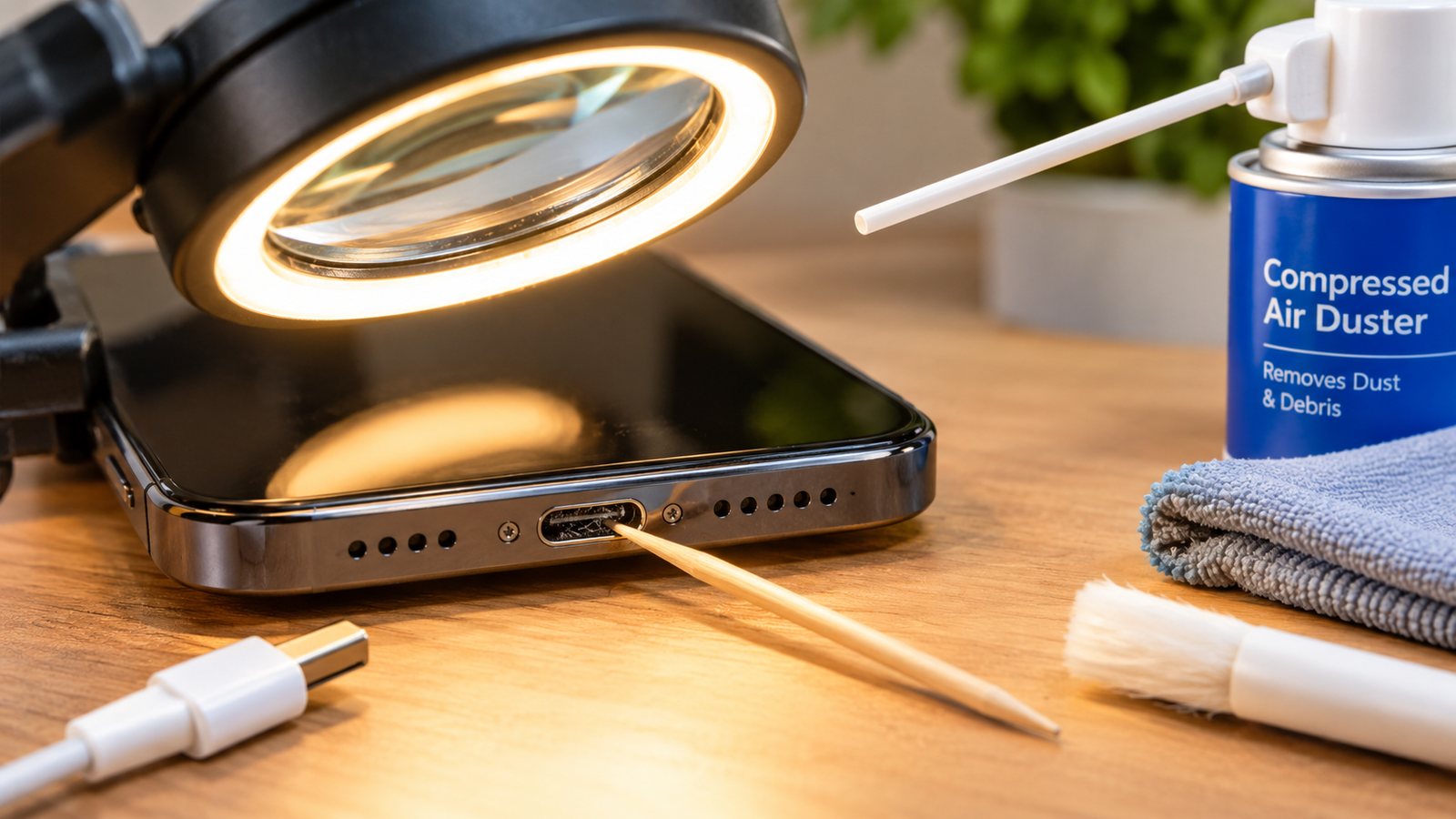
Using the wrong tools can permanently snap the delicate metallic pins inside your phone’s charging port, turning a simple maintenance task into an expensive screen or motherboard repair.
Safe Tools to Use
-
Wooden or Plastic Toothpicks: Non-conductive and flexible enough to dislodge lint without scratching internal pins.
-
Can of Compressed Air: Great for clearing out loose dust without physical contact.
-
Soft-Bristled Antistatic Brush: Helpful for gently sweeping edges around the connector pin.
-
99% Isopropyl Alcohol (Optional): Only used in tiny amounts to dissolve sticky grime.
Dangerous Items to Avoid
-
Metal Needles, Safety Pins, or Paperclips: Metal can short-circuit the electrical contacts or bend internal pins permanently.
-
Tap Water or Household Cleaners: Water causes internal corrosion and liquid damage.
-
Blowing with Your Mouth: Breath contains moisture that can settle inside sensitive electronics.
Safety precautions also apply to battery longevity habits, as explained in our guide on simple ways to extend smartphone battery lifespan.
2. Step-by-Step Port Cleaning Process
Follow these steps carefully to clear out debris without damaging your device.
[ Power Off Device ] ──> [ Use Compressed Air ] ──> [ Gently Scrape with Toothpick ] ──> [ Re-inspect & Test ]
Step 1: Turn Off Your Smartphone
Always power off your Android device or iPhone completely before attempting to insert any tool into the charging port. This prevents short circuits while working near active electrical contacts.
Step 2: Blow Out Loose Dust with Compressed Air
Hold the can of compressed air upright. Apply short, controlled bursts into the port at an angle. This dislodges surface dust and loose particles before you use manual tools.
Step 3: Gently Scrape Debris with a Wooden Toothpick
Insert the tip of a wooden toothpick gently into the port until you feel the back wall. Carefully drag the tip along the inner edges, sweeping out packed pocket lint.
| Port Type | Scrape Pattern | Precaution |
| USB-C Port | Gently loop around the center contact strip | Avoid putting heavy pressure on the center connector board |
| Lightning Port | Slide along the back wall and side tracks | Keep the toothpick flat against the back wall to protect pins |
Step 4: Re-Inspect Under Direct Light
Shine a bright flashlight into the port. Look closely to make sure the metallic bottom surface is visible and free of dark lint clusters.
3. Fixing Persistent Sticky Grime or Oxidation
If your port has sticky residue from spilled drinks or pocket moisture:
-
Wrap a tiny piece of dry cotton or micro-cloth around the end of your wooden toothpick.
-
Lightly dampen the cotton with a single drop of 99% isopropyl alcohol (never soaking wet).
-
Gently wipe the contact surfaces inside the port and let it air-dry completely for 5 minutes before plugging in a charger.
Keeping your phone’s physical hardware functional works hand-in-hand with software optimizations, like learning how to clear cache on android phone or setting up good work habits covered in how to fix tech neck posture at desk.
Want More Insights to Grow Your Digital Presence & Daily Productivity?
Whether you need to fix your website’s technical performance or build a smarter, burnout-free work routine, NewsUpTo delivers practical guides to keep you ahead.






Leave feedback about this